Intermediate course
Game-Ready Characters
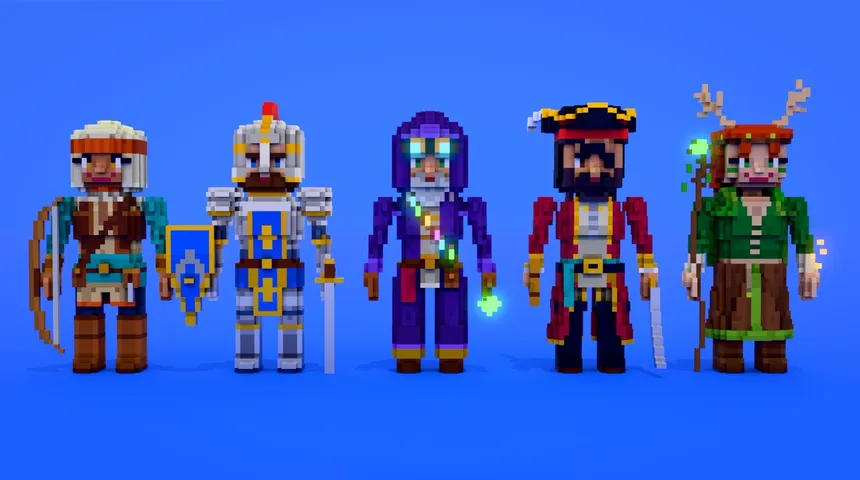
Model a stylised adventurer, rig it, give it idle, walk and attack clips, and export it as a GLB with a humanoid skeleton your engine retargets.
- Intermediate
- 1 h 59 min
- 13 lectures
- 4 sections
Coming soon. The outline below is the plan.
What you'll learn
- Proportion a character for a game camera
- Fit bones in one step and fix the weights
- Pose, key and loop clips
- Add follow-through with springs
- Export a humanoid skeleton that retargets
Course outline
Section 1Modelling the character4 lectures · 42 min
A blocked-out, painted adventurer ready for bones.
- 1.1 Proportions for a game cameraChoose head, body and limb sizes that read from a top-down and a third-person camera.9 minComing soon
- 1.2 Block out the bodyBlock out head, body and limbs to the proportions, with symmetry as a quick recap from Voxel Fundamentals.12 minComing soon
- 1.3 Face, hair and clothesPaint a readable face and add hair and clothing detail.11 minComing soon
- 1.4 Detail: weathering, patterns and pixel paintWeather surfaces, place repeating patterns and paint pixel detail onto faces.10 minComing soon
- Practice: a second character from the same bodyPractice task, quiz and solution fileComing soon
Section 2Rigging3 lectures · 28 min
A rigged character that bends cleanly.
- 2.1 Fit bones in one stepRig the character and check each part follows the right bone.9 minComing soon
- 2.2 Skinning and jointsBend elbows and knees smoothly with skinning and joint fills.10 minComing soon
- 2.3 IK for feet and handsMake limbs reach with IK and constraints.9 minComing soon
- Practice: rig a four-legged petPractice task, quiz and solution fileComing soon
Section 3Animation3 lectures · 33 min
Idle, walk and attack clips that loop.
- 3.1 Clips, poses and keysMake an idle clip with the timeline and saved poses.10 minComing soon
- 3.2 A walk cycleKey a looping walk and check it from the side.12 minComing soon
- 3.3 An attack with follow-throughKey an attack and add springs to hair and cloth.11 minComing soon
- Practice: a jump clip with anticipationPractice task, quiz and solution fileComing soon
Section 4Export3 lectures · 26 min
The character running in your engine.
- 4.1 Export a humanoid skeletonExport a GLB with a humanoid skeleton and its clips.8 minComing soon
- 4.2 Check the skeleton in GodotCheck the character’s bones and clips in Godot (the engine check itself was introduced in Modular Environments).9 minComing soon
- 4.3 Variants and attachment pointsAdd sockets for weapons and export colour variants.9 minComing soon
- Practice: export a sprite sheet of the walk for a 2D gamePractice task, quiz and solution fileComing soon
Final project
Your hero
Design, rig and animate a hero of your own with idle, walk, run and attack clips and one attachment point, then export it and play it in your engine or in Play It Now.
A playable character built start to finish.