First steps · Lesson 2
Your first model: a crate
Draw a block with the Box brush, paint planks and a frame onto it, and learn that every mistake is one key away from gone.
- 10 min
- 4 steps
- Beginner
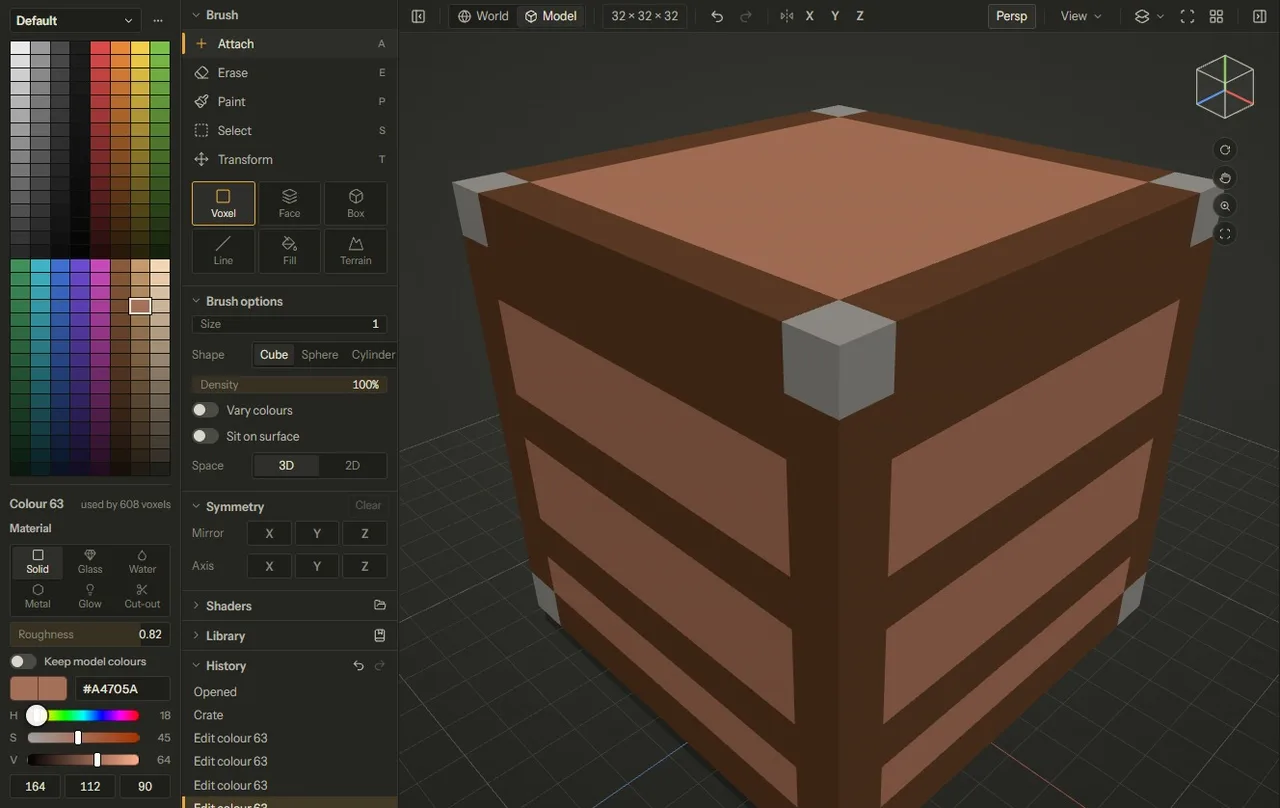
A crate is the classic first model: one block, a little paint, and it already looks like something from a game. You'll use three tools: Attach, Paint and Erase.
-
Draw the block
Press A for Attach, then 3 for the Box brush. Pick a light wood colour from the palette.
Drag a square on the plate, about ten voxels each way. Pull the handle on top up until the block is roughly a cube, then press Enter.
-
Paint the planks
Press P for Paint and 1 for the Voxel brush, and pick a darker brown. Drag straight across a side to paint one stripe. Three on each side reads as planks.
Paint only changes colour, never shape, so you can't spoil the block.
-
Add the frame and corners
Still painting in dark brown, drag along each edge. Then pick a grey and click each top corner to give the crate metal caps.
-
Undo anything
Try E for Erase and click a few voxels off the lid. Now press Ctrl+Z once per click to bring them back. Ctrl+Y redoes.
Undo goes back as far as you like, so experiment freely.
Want to compare? Download the finished crate above and open it next to yours.