Round shapes and symmetry
Symmetry: build one side
Turn on mirror X and Z, build one leg of a stool and get all four, add a centred seat, and paint a band on every leg with one click.
- 6 min
- 5 steps
- Beginner
Files for this lecture
Before this lecture
- Box, Line and Fill brushes
Most props are symmetrical: tables, barrels, chairs, lanterns. With mirror symmetry on, you build one side and Ciwb builds the others as you go. In this lecture you make a stool for your stall keeper.
Step by step
Turn on mirror X and Z
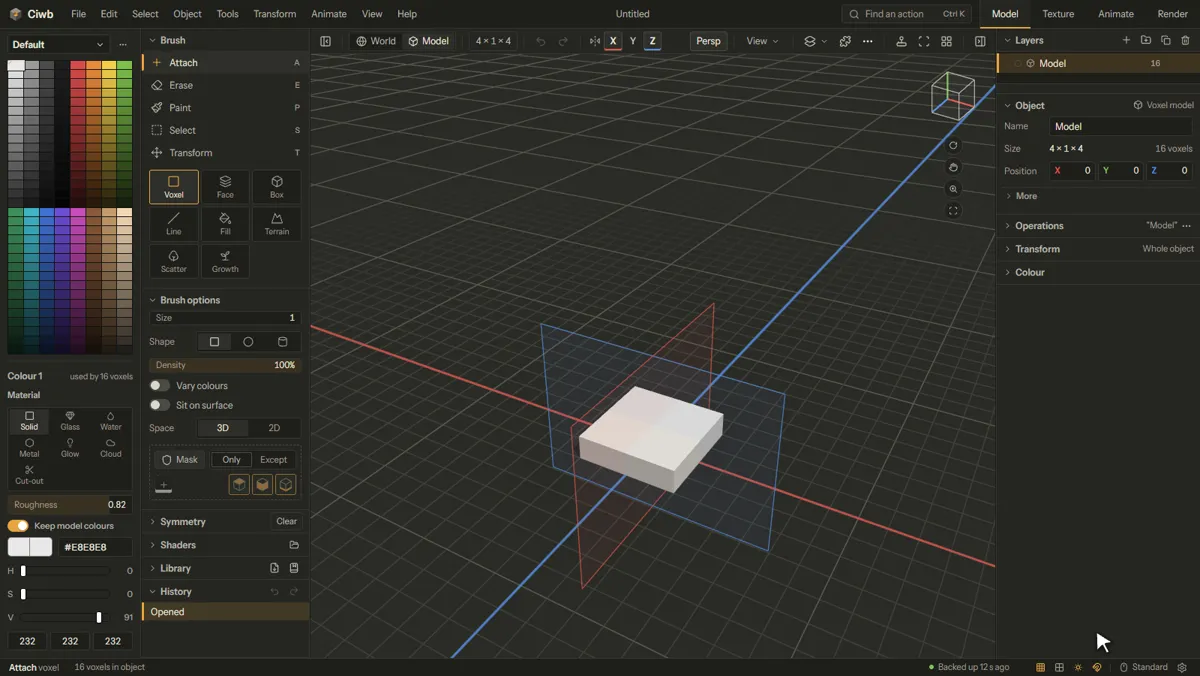
Open vf-s3-l1-starter.ciwb. Press X, then Z. The X and Z buttons in the toolbar light up, and mirror planes run through the middle of the object, side to side and front to back. They start at the object's centre.
Build one leg
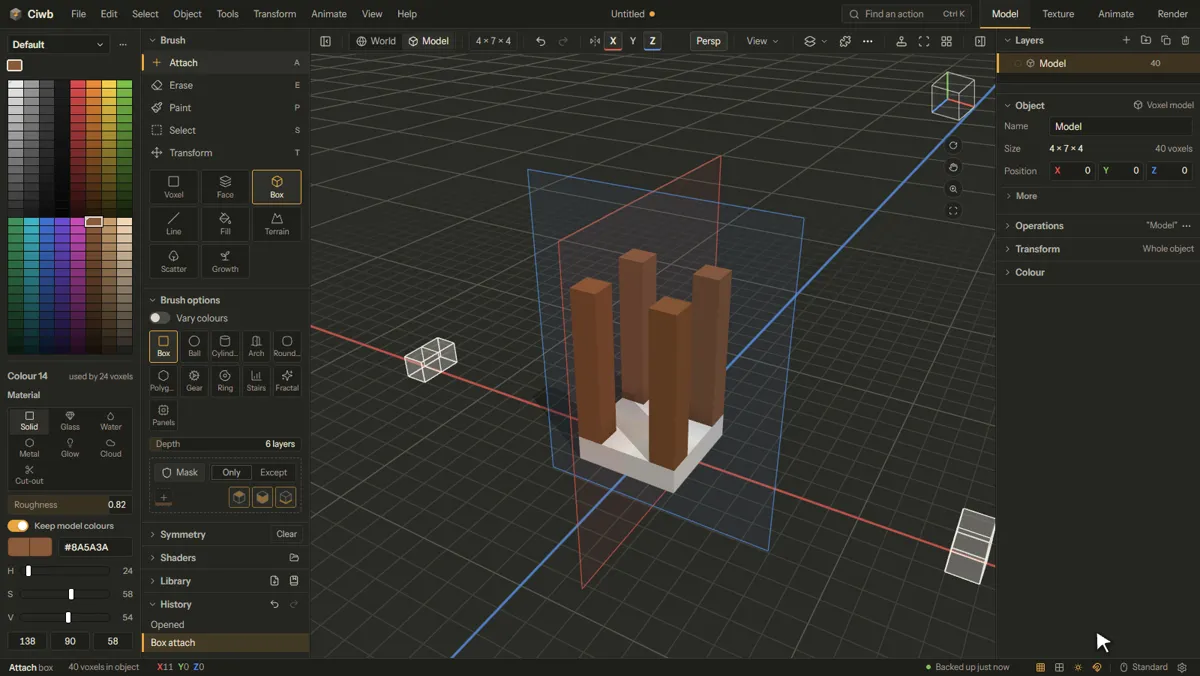
Press 3 for Box, pick a wood colour and set Depth to 6. Drag a single square on one corner of the plinth. Four legs rise at once, one in each corner.
Add the seat
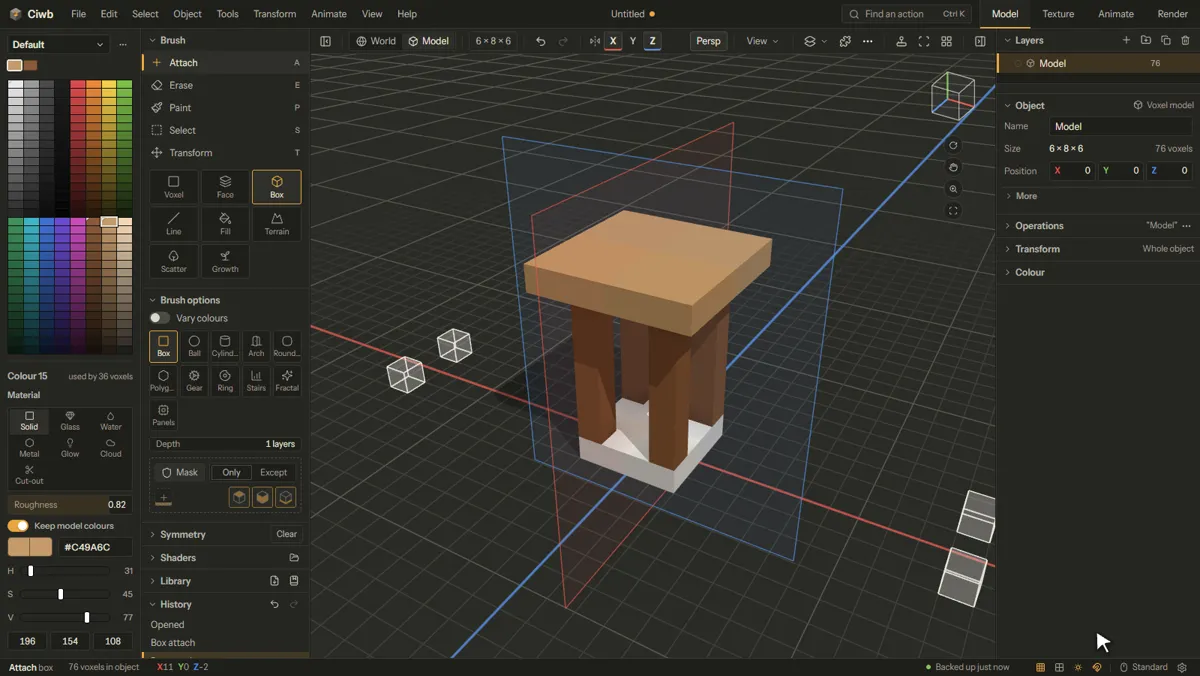
Pick a lighter wood and set Depth to 1. Drag from the top of one leg across to just past the opposite leg. The mirror copies the drag to every side, so the seat comes out centred.
Paint once, colour four
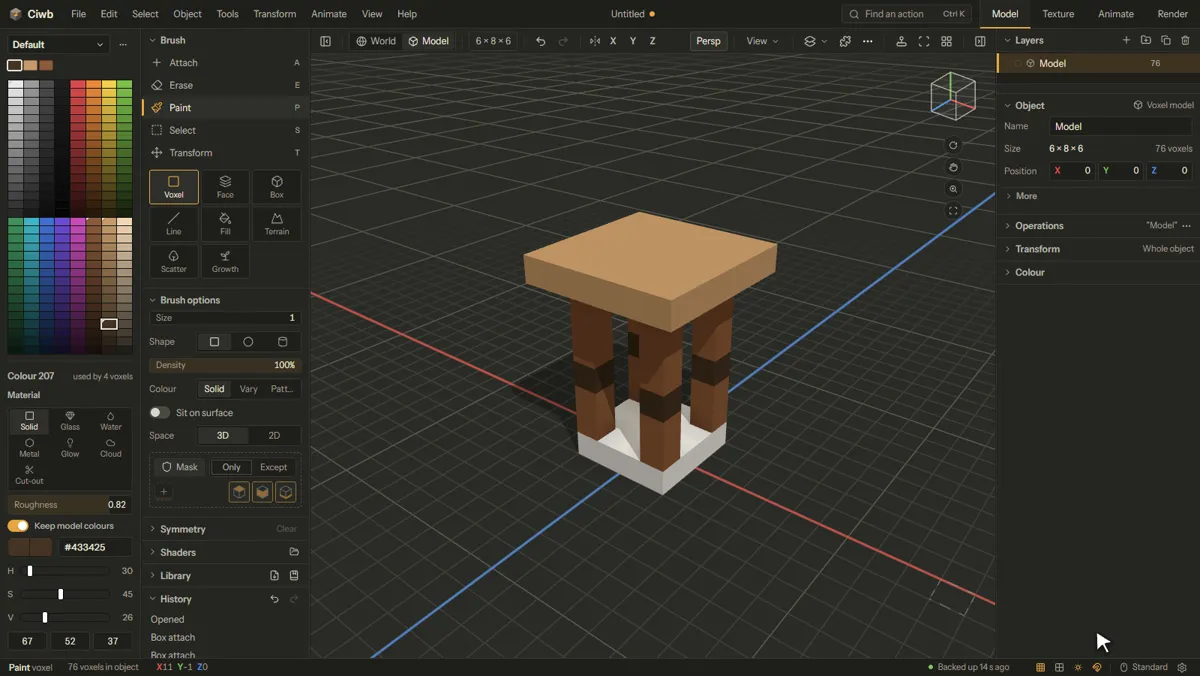
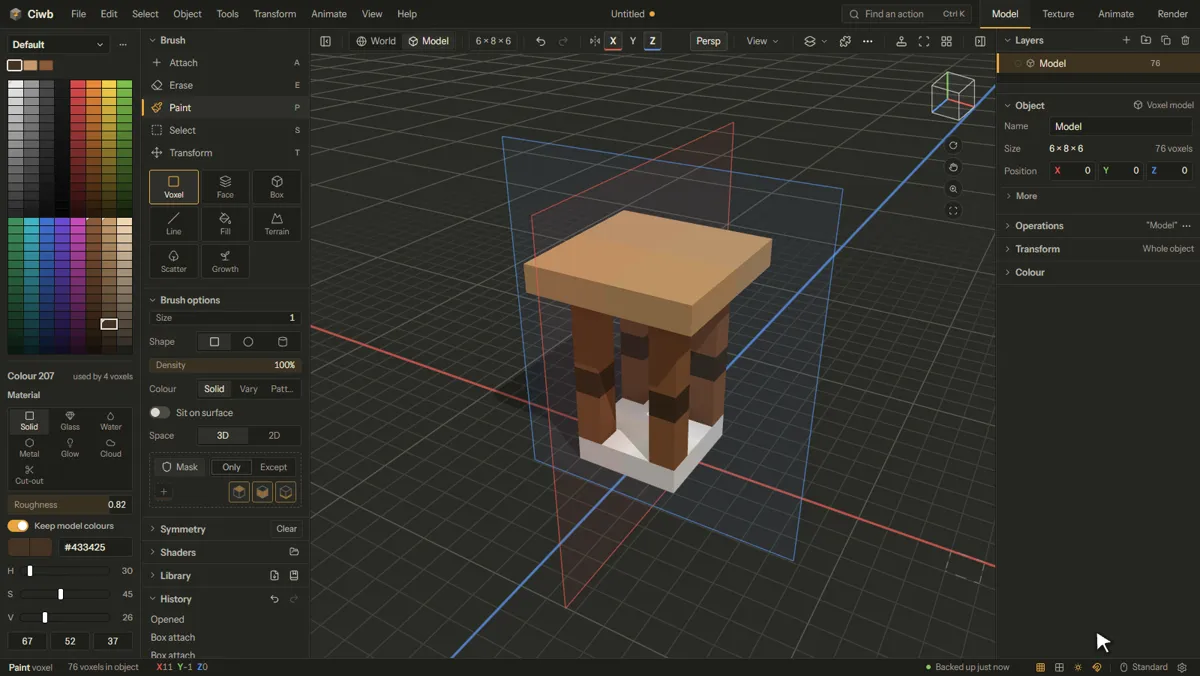
Mirrors work with every tool. Press P for Paint and 1 for the Voxel brush, pick a dark brown and click a leg halfway up. A band appears on all four legs.
Turn the mirrors off
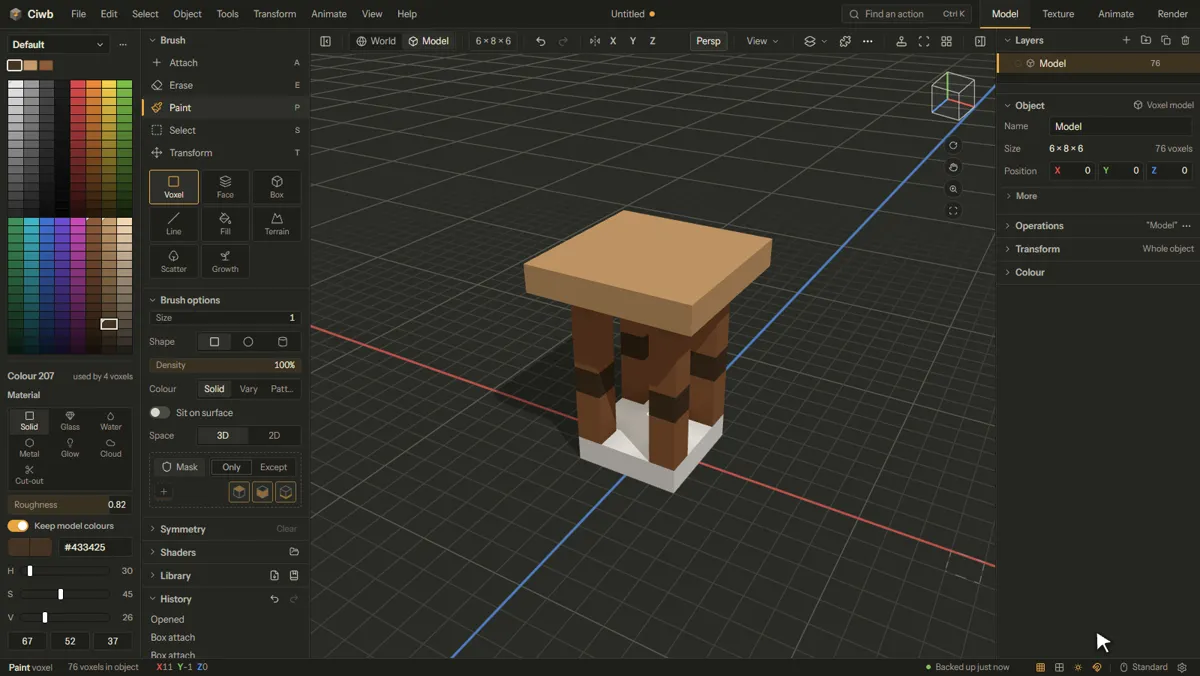
Press X and Z again before you add anything that belongs on one side only.
Common mistake
Building off-centre. The planes go through the object's centre when you turn a mirror on, so if the first voxels sit to one side, the copies land in odd places. Start from a centred base (like the plinth), or open Symmetry in the left panel to see and move the planes.
Recap
X and Z turn on mirror planes through the middle of the object. Build or paint one side, and the mirror does the rest. Turn them off for one-sided details. Save the file; the stall uses it.
| X | Mirror X on or off |
| Z | Mirror Z on or off |
| 3 | Box brush |
| 1 | Voxel brush |
| P | Paint tool |
Transcript
In this lecture you build a stool for your stall keeper. You only ever build one leg: mirror symmetry makes the other three for you.
Open the starter. Press X, then Z. The X and Z buttons in the toolbar light up, and mirror planes now run through the middle of the object, front to back and side to side.
Press three for Box, pick a wood colour, and set Depth to six. Drag a single square on one corner of the plinth. Four legs rise at once, one in each corner.
Pick a lighter wood and set Depth to one. Drag from the top of one leg across to just past the opposite leg. The mirror copies the drag to every side, so the seat comes out centred.
Mirrors work with every tool. Press P for Paint and one for the Voxel brush, pick a dark brown, and click a leg halfway up. A band appears on all four legs.
Press X and Z again to turn the mirrors off, before you add anything that should only be on one side.
To recap: X and Z turn on mirror planes through the middle of the object. Build or paint one side, and the mirror does the rest. Turn them off for one-sided details. Save the file.
Narration: Kokoro-82M (hexgrad, Apache-2.0), voice bm_george.